
A website that crashed on every Google Ads click
WordPress fix
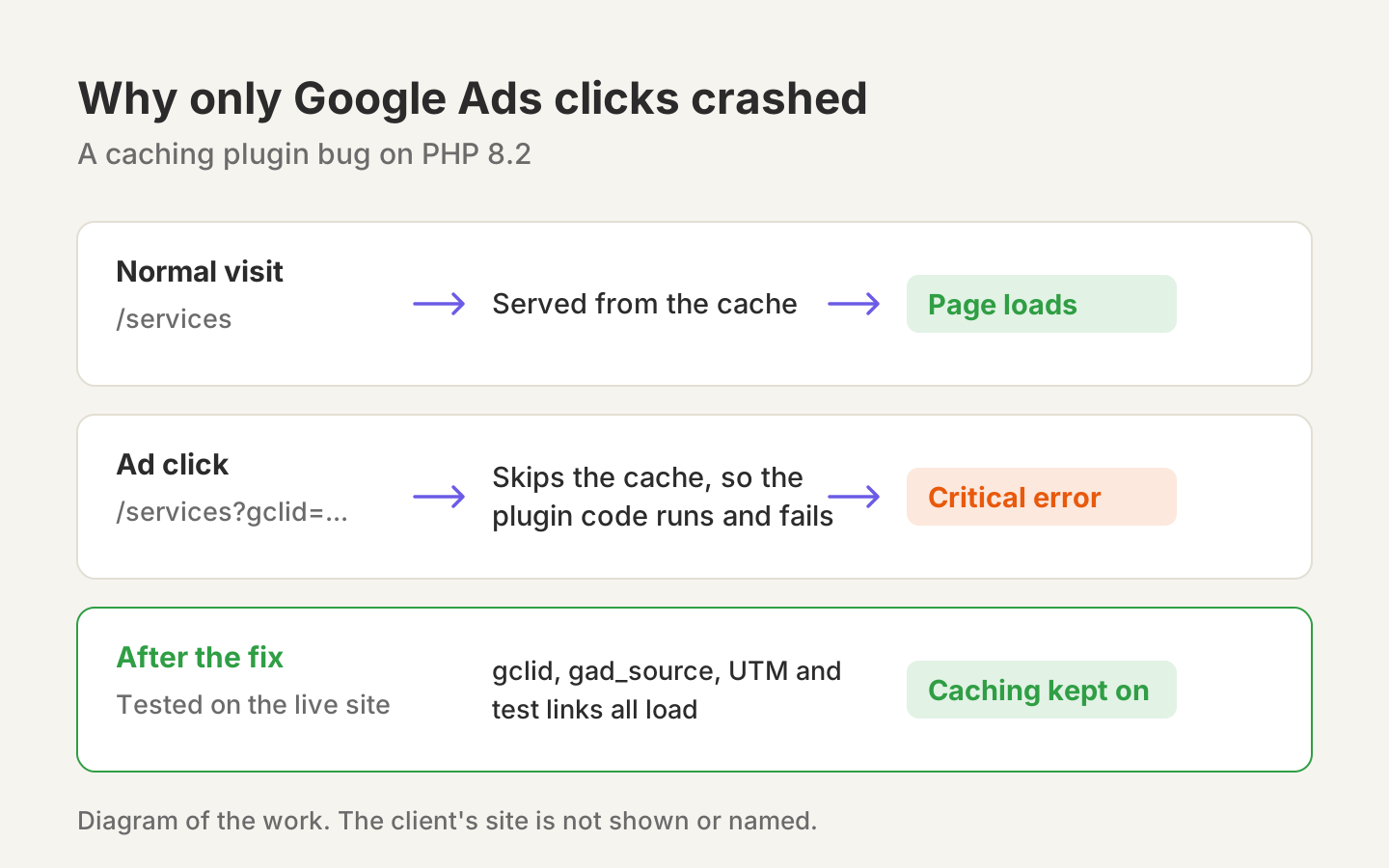
The problem
A local service business in New York was running Google Ads, but the website showed a critical error whenever a visitor landed on it from an ad. To stop the crashes, the owner had switched off Google Ads auto-tagging, which hurts campaign tracking.
It was confusing because the site looked fine normally. It only broke when the address carried a tracking code, like the gclid tag Google adds to every ad click.
What we found
Abner turned on WordPress debug logging and read the exact error.
- The crash came from the caching plugin’s Cloudflare integration. Its code passed a number where text was expected, which is a fatal error on the site’s PHP 8.2.
- Why only ad clicks crashed: a normal page is served from the cache, so no code runs. A link with a tracking code skips the cache, so the full code runs and hits the bug. That is why Google Ads traffic, and nothing else, was crashing.
- The plugin’s licence had lapsed, so it could not download the official update that already fixes this.
What we did
Abner backed up the file, then applied the same one-line correction the plugin’s makers shipped in their later versions. Caching stayed fully on, so the site lost no speed.
The result
We tested the exact failure cases on the live site: a plain test parameter, a Google gclid tag, a gad_source tag and standard UTM tags. Every one now loads the full page with no error, so Google Ads auto-tagging could be switched back on.
We also told the owner the clean long-term fix: renew the plugin licence and update to the current version, because a manual patch is overwritten by a future reinstall.
Why it matters for ads
Every ad click costs money. A landing page that breaks on ad traffic wastes all of it, and turning off tracking hides what the ads are doing. Checking that ad links load properly is part of how we set up Google and Meta ads.
The honest note
This was real client work, so the business is not named. The diagram on this page shows the problem and the fix, not the client’s site.